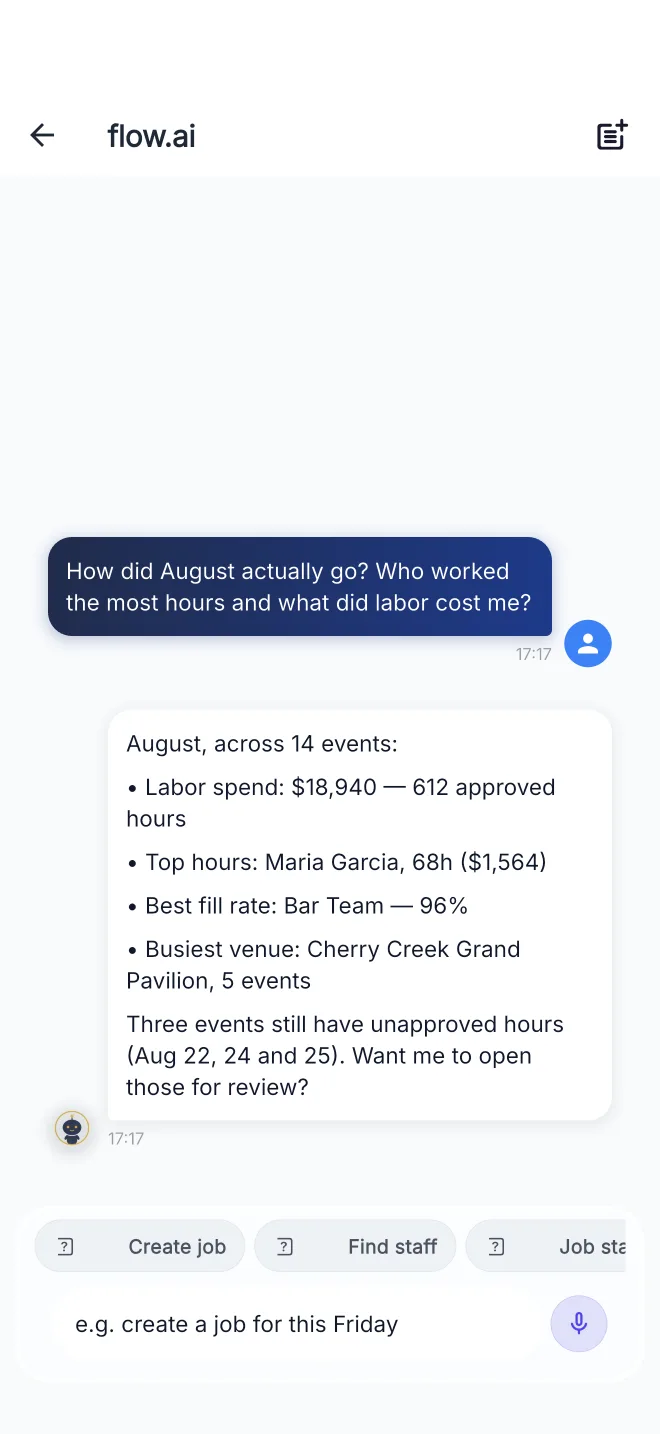
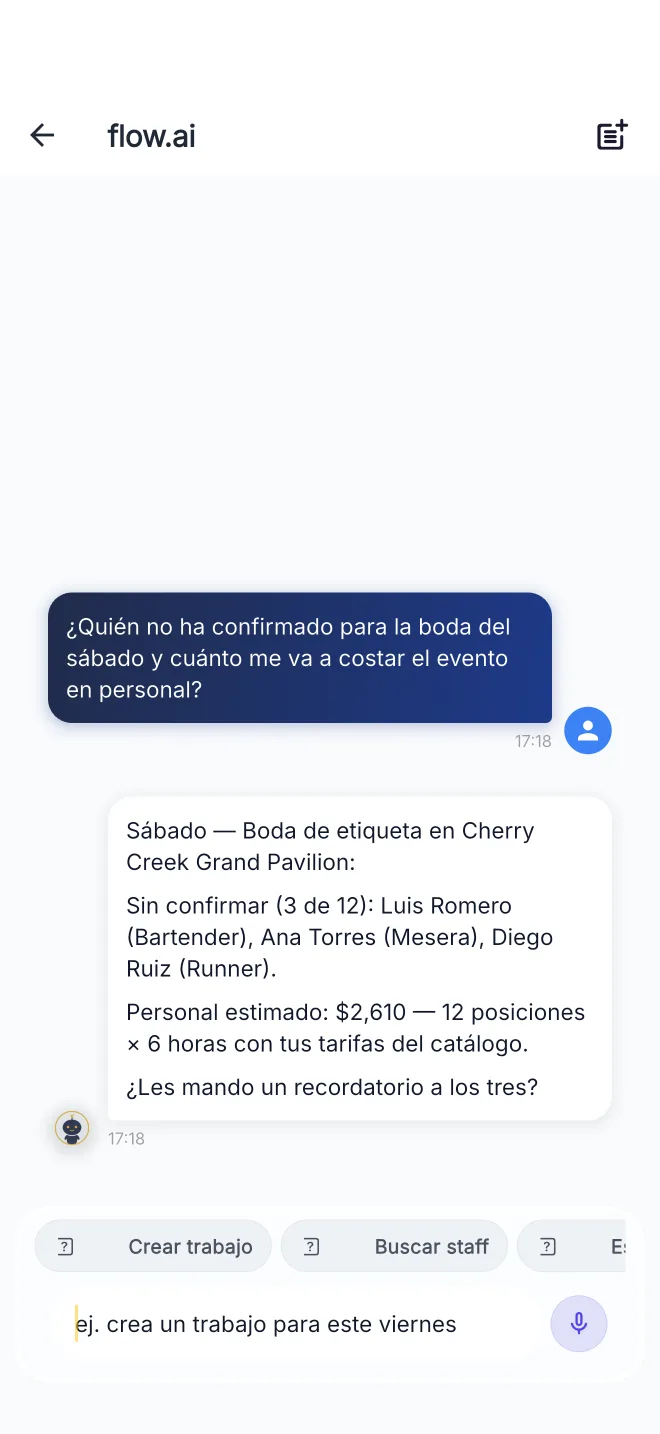
Not just “create a job” — month reviews, labor costs, who hasn’t confirmed.
“How did August go?” — labor spend, top hours, fill rate, and the events still waiting on approval.The same app on a Spanish-language phone — unconfirmed staff and labor cost for Saturday, answered in Spanish.
Staff ask about their own work
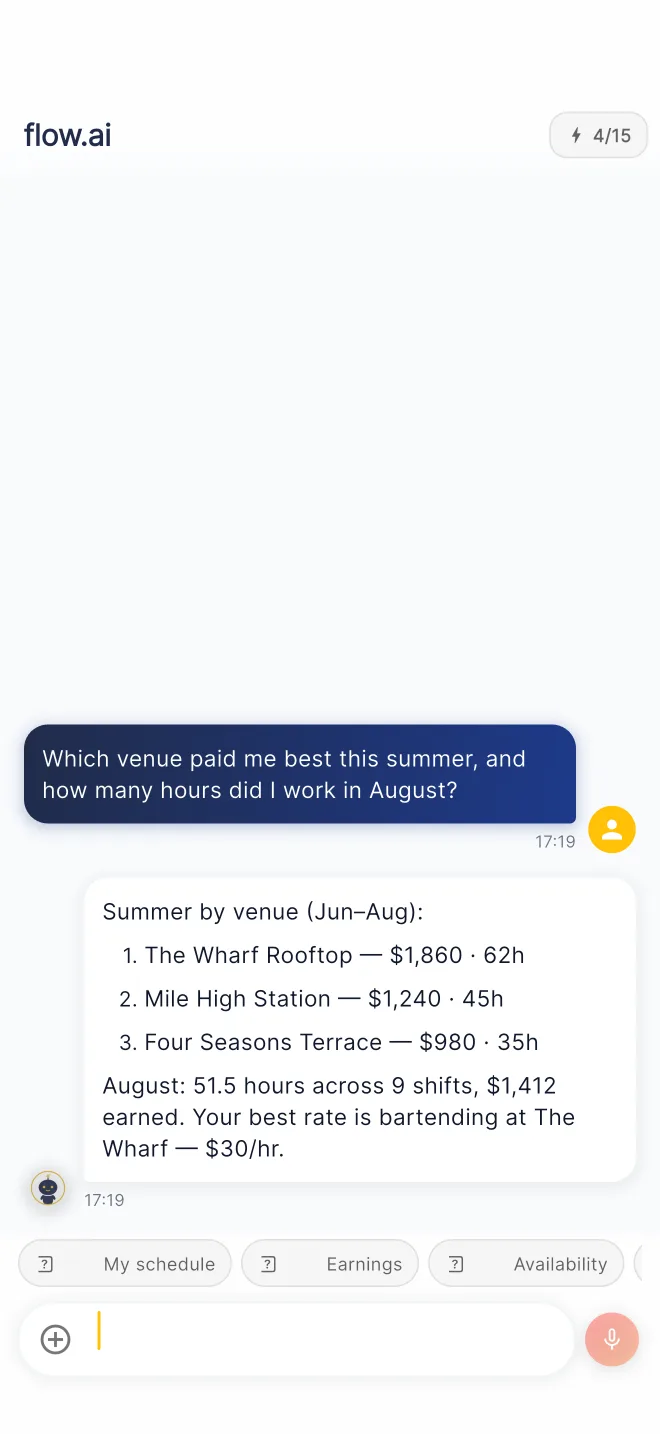
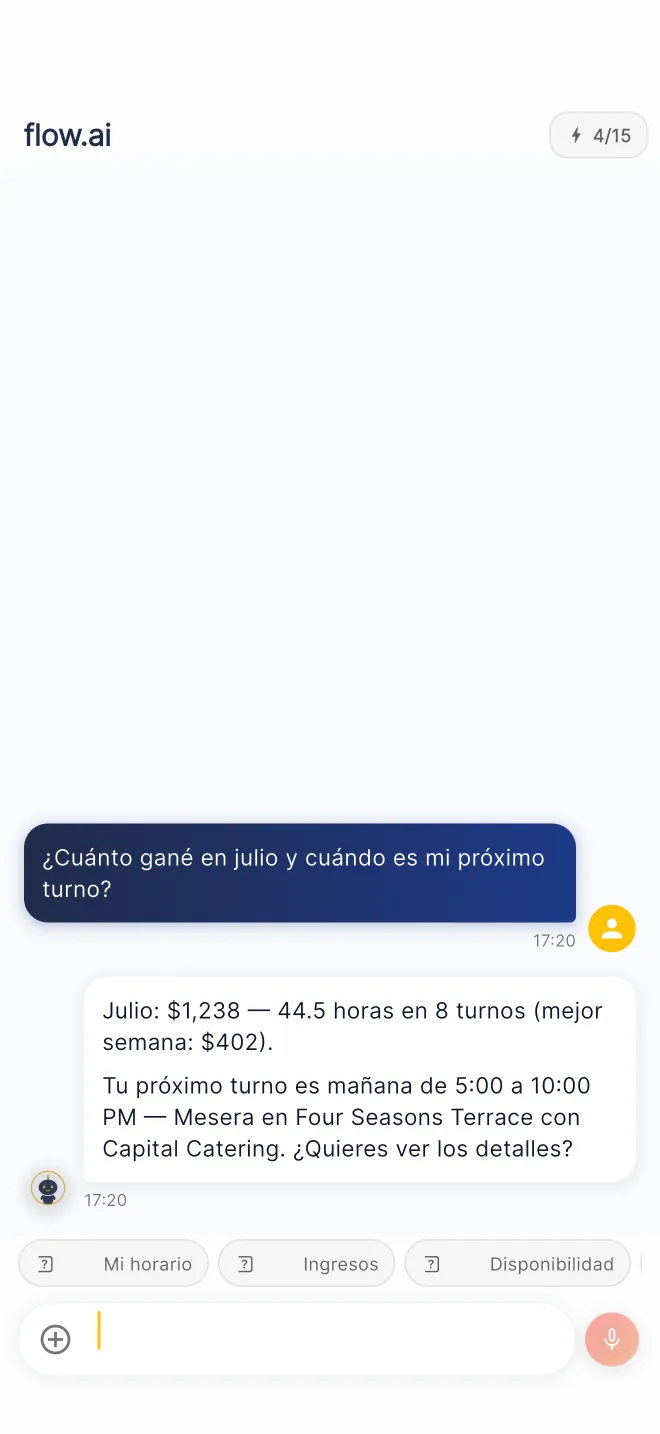
Earnings by venue, hours this month, the next shift — answered in seconds, in the phone’s own language.
“Which venue paid me best this summer?” — ranked by earnings and hours, with the best rate called out.Teléfono en español: lo ganado en julio y el próximo turno — sin cambiar ningún ajuste.
How to Open flow.ai
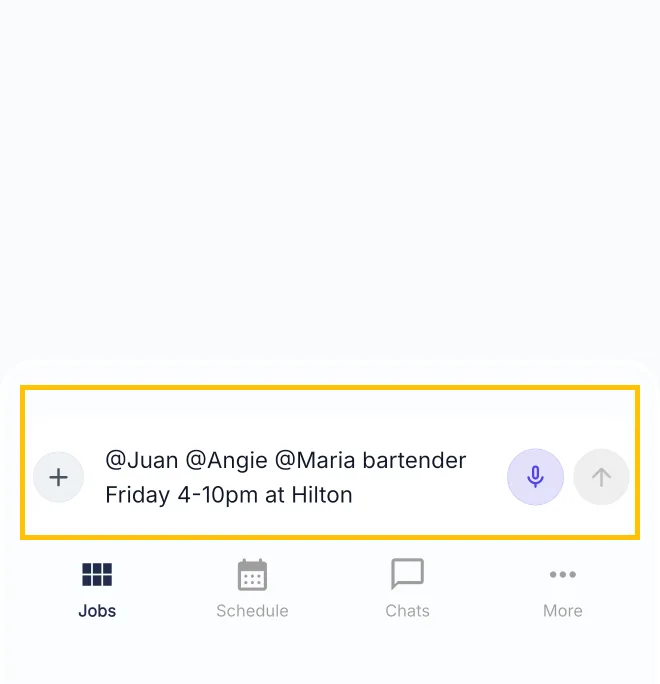
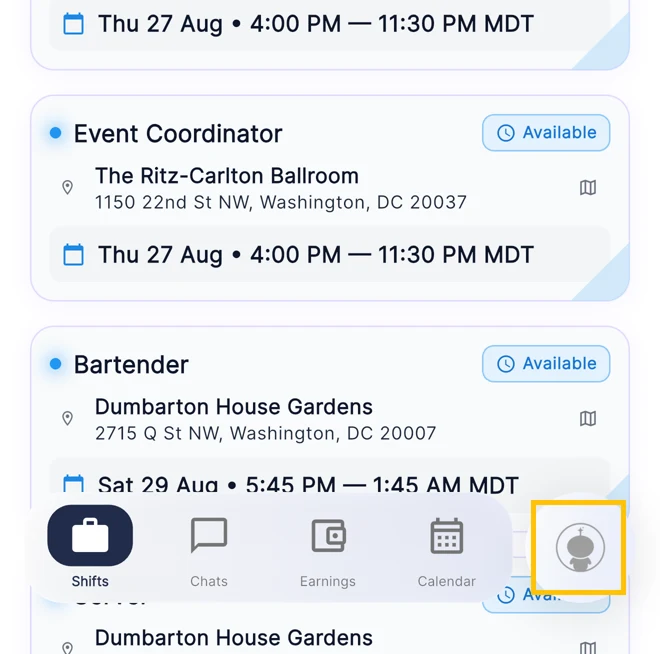
The gold square marks exactly where to tap.
FlowShift Manager — the chatbox at the bottom of Jobs is flow.ai. Type or dictate right there — mention staff, name a venue, set the time.FlowShift Staff — tap the round flow.ai button at the far right of the bottom bar, on any tab.